
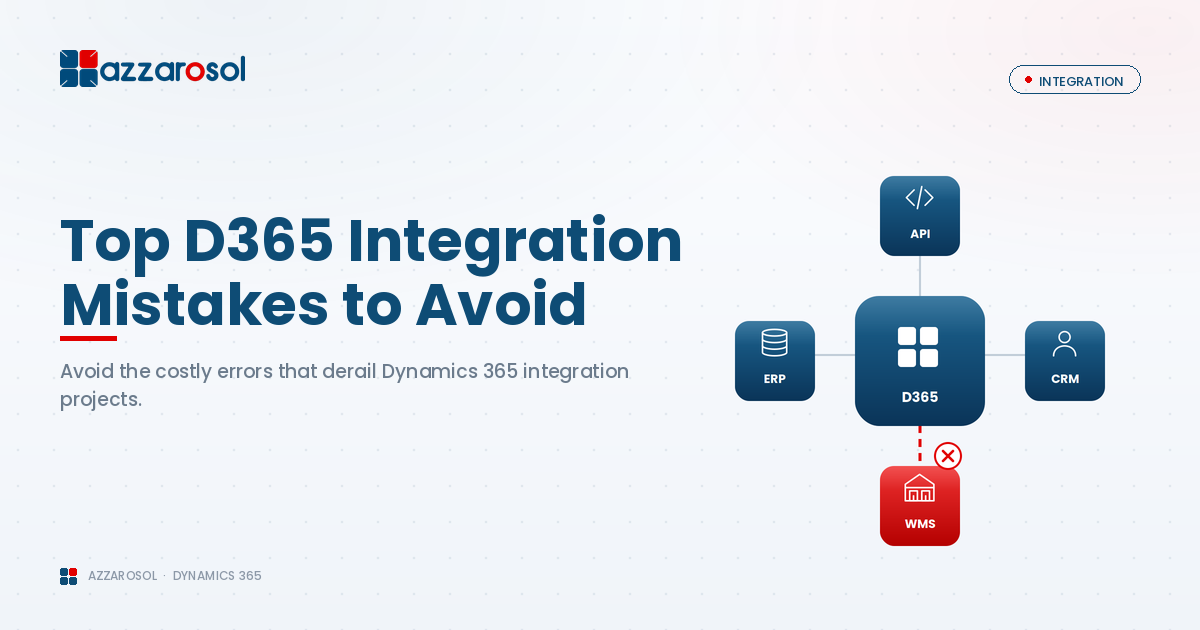
Dynamics 365 integration often fails due to poor planning, wrong tools, and weak data strategies. This guide explains the most common integration mistakes and shows how businesses can avoid costly failures and build stable, scalable system connections.
Why Dynamics 365 Integration Is More Complex Than It Appears
Microsoft Dynamics 365 rarely operates as a standalone system. Most businesses rely on multiple platforms for finance, operations, sales, and customer engagement. When these systems must communicate with each other, integration complexity increases quickly.
Organizations using the Microsoft Dynamics 365 ERP platform often face challenges related to:
- Different data formats across systems
- Real-time versus scheduled data synchronization
- Security and compliance requirements
- Performance and scalability demands
Without a structured approach, these challenges turn into long-term Dynamics 365 integration issues.
No Clear Integration Strategy from the Start
One of the most common Dynamics 365 integration mistakes is starting integration work without a defined strategy. Teams often jump into technical configuration before aligning on business outcomes.
What Usually Goes Wrong
- Business goals for integration are unclear
- IT and business teams work in isolation
- Data flows are defined after development begins
This approach leads to Dynamics 365 integration errors, rework, and growing costs.
How to Avoid This Mistake
To prevent common Dynamics 365 integration problems:
- Define business objectives before choosing tools
- Identify which systems need to exchange data
- Align integration plans with a clear Dynamics 365 ERP and CRM implementation roadmap
Clear planning is the foundation of reliable Dynamics 365 system integration.
Choosing the Wrong Integration Method
Selecting the wrong integration approach is a major reason why Dynamics 365 integrations fail. Not every integration requires the same level of complexity.
Common Integration Options
- Dynamics 365 API integration for custom requirements
- Dynamics 365 connectors for simpler use cases
- Dynamics 365 middleware for complex, multi-system environments
What Goes Wrong
- Overengineering simple integrations
- Using connectors for high-volume data movement
- Ignoring future scalability needs
These decisions often result in poor performance and unstable integrations.
How to Avoid It
Best practices for Dynamics 365 integration include:
- Evaluating data volume and frequency
- Planning for long-term growth
- Choosing tools that fit both current and future needs
The right architecture is one of the most effective Dynamics 365 integration solutions.
Poor Data Mapping and Data Synchronization
Data issues are usually the first visible sign of a failing integration. Poor data planning leads to ongoing reporting and operational problems.
Common Data Issues
- Duplicate customer and product records
- Incorrect field mapping
- Delayed Dynamics 365 data synchronization
These problems reduce trust in the system and impact decision-making.
How to Avoid It
To support how to integrate Dynamics 365 successfully:
- Clean and standardize data before integration
- Define master data ownership
- Apply validation and error-handling rules
Strong data governance reduces recurring Dynamics 365 integration pitfalls and solutions become easier to manage.
Ignoring Security and Compliance Requirements
Security is often treated as an afterthought during Microsoft Dynamics 365 integration, especially when third-party applications are involved.
For financial and professional services firms, this mistake can lead to serious compliance risks.
What Goes Wrong
- Overexposed APIs
- Weak authentication controls
- Gaps in regulatory compliance
How to Avoid It
Dynamics 365 integration best practices for security include:
- Role-based access control
- Secure API authentication
- Regular security audits
Security must be built into every Microsoft Dynamics integration layer.
Over-Customizing Dynamics 365 to Force Integrations
Customization is sometimes necessary, but excessive customization creates long-term instability.
Why This Becomes a Problem
- Custom logic breaks during platform updates
- Maintenance costs increase
- Dynamics CRM integration becomes fragile
Many Dynamics 365 integration failures trace back to unnecessary custom development.
How to Avoid It
- Use out-of-the-box features where possible
- Customize only when business value is clear
- Follow Microsoft extensibility guidelines
Balanced customization supports stable ERP and CRM integration.
Not Designing for Scalability and Performance
An integration that works during testing may fail under real business load.
For manufacturing organizations, this often results in inventory mismatches and production delays.
Common Scalability Issues
- Slow response times
- API throttling
- Failed sync jobs during peak usage
How to Avoid It
To manage challenges in integrating Dynamics 365 with third-party applications:
- Design for peak data volumes
- Monitor system performance
- Use scalable middleware where required
Scalable design prevents future Dynamics 365 integration failures.
Skipping Testing, Monitoring, and Ongoing Maintenance
Many organizations treat integration as a one-time project instead of an ongoing responsibility.
Ongoing monitoring is often handled through Dynamics 365 managed services to reduce risk and downtime.
What Usually Happens
- Errors go unnoticed
- Data stops syncing without alerts
- Users lose confidence in reports
How to Avoid It
How to avoid Dynamics 365 integration issues over time:
- Perform end-to-end testing before go-live
- Set up automated alerts
- Schedule regular integration health checks
Monitoring is essential for stable Dynamics 365 system integration.
Industry-Specific Integration Challenges
Different industries face unique integration pressures.
- Wholesale distribution businesses require real-time order and inventory data
- Logistics and supply chain operations depend on accurate shipment and tracking integrations
- EPC project environments need middleware to manage complex project, finance, and procurement systems
Understanding industry context helps reduce common Dynamics 365 integration mistakes.
- Wholesale distribution businesses require real-time order and inventory data
Best Practices for Dynamics 365 Integration Success
To summarize proven best practices for Dynamics 365 integration:
- Start with clear business objectives
- Choose the right integration architecture
- Prioritize data quality and governance
- Build security into every layer
- Avoid unnecessary customization
- Plan for scalability and monitoring
These steps help organizations avoid common Dynamics 365 integration problems and build systems that scale.
Conclusion:
The most common Dynamics 365 integration mistakes include lack of a clear integration strategy, choosing the wrong integration approach, poor data mapping, ignoring security requirements, and skipping monitoring. These issues can be avoided by defining business goals early, selecting the right integration tools, maintaining data quality, securing integrations, and continuously monitoring system performance.
Businesses often rely on experienced partners like Azzarosol’s Microsoft Dynamics expertise to avoid integration risks and build future-ready systems.
If your organization is planning or struggling with a complex integration, now is the right time to act.
Contact Us now to get practical guidance on secure, scalable, and reliable Dynamics 365 integration tailored to your business.
2 Comments