
A Microsoft Dynamics 365 ERP upgrade involves moving your ERP system to a newer, Microsoft-supported version. This typically includes platform enhancements, security updates, performance improvements, and may also involve migrating to the Dynamics 365 cloud to improve scalability, efficiency, and business operations.
At Azzarosol, we work with companies facing this exact decision: should they upgrade, customize, or reconfigure their existing Dynamics 365 environment?
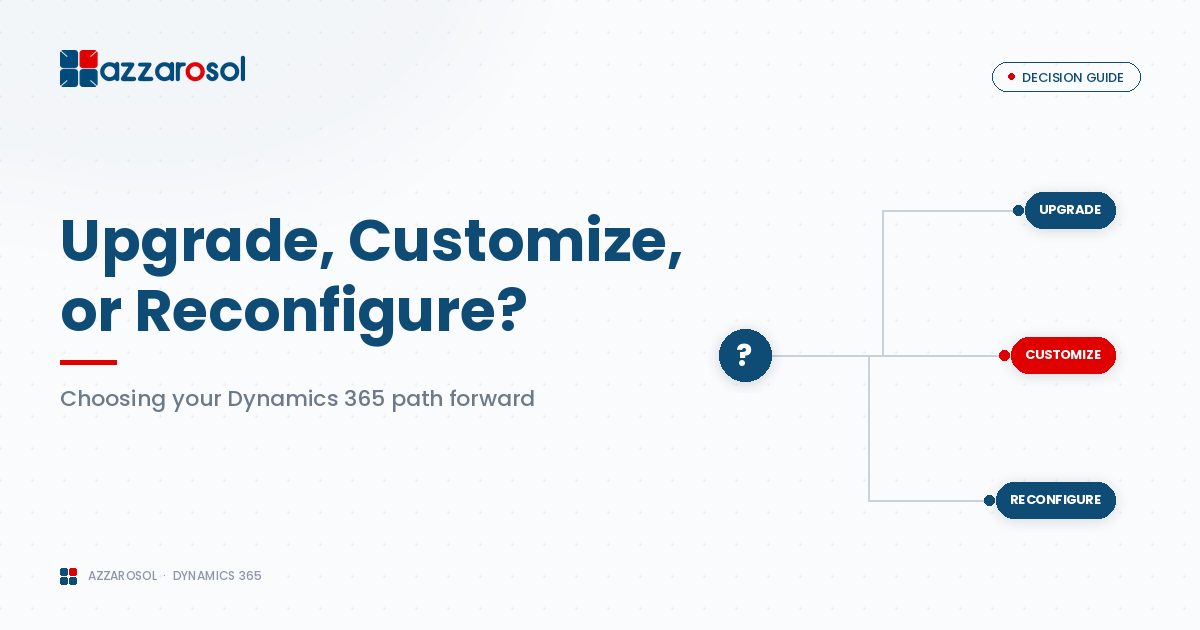
This blog explains Dynamics 365 upgrade vs customization vs reconfiguration in clear business terms, helping decision-makers choose a path that reduces risk and supports long-term growth.
Why Businesses Get Stuck at This Stage
Most Dynamics 365 issues develop gradually due to:
- Business growth beyond the original setup
- Process changes not reflected in the system
- Heavy customizations added without governance
- Delayed Dynamics 365 version upgrades
- Limited internal Dynamics 365 technical support
Without a trusted Dynamics 365 support partner, organizations often apply short-term fixes that increase complexity and cost over time.
Dynamics 365 Upgrade vs Customization vs Reconfiguration Explained
What Is a Dynamics 365 Upgrade?
A Dynamics 365 CRM upgrade involves moving your system to a newer, Microsoft-supported version. This often includes platform updates, security enhancements, and sometimes a broader Dynamics 365 cloud migration.
Many upgrade decisions are driven by how Microsoft Dynamics 365 ERP is used across finance, operations, and customer engagement processes within the organization.
Key reasons businesses choose upgrades:
- Microsoft support deadlines
- Security and compliance requirements
- Persistent Dynamics 365 performance issues
- Need for new platform capabilities
Common upgrade risks include:
- Custom code failures during the Microsoft Dynamics 365 upgrade process
- Integration disruptions
- Unplanned downtime
This is why structured Dynamics 365 upgrade services and pre-upgrade testing are essential.
What Is Dynamics 365 Customization?
Dynamics 365 customization services focus on extending the platform to support unique business requirements that cannot be achieved with standard features.
Customization may include:
- Custom workflows and plugins
- Advanced automation logic
- Industry-specific functionality
- Integration with external systems
Customization works best when applied selectively.
Dynamics 365 customization best practices include:
- Using standard features before adding code
- Avoiding unnecessary complexity
- Documenting every customization
- Assessing the Dynamics 365 upgrade impact on customizations
Without these controls, customization becomes expensive to maintain and difficult to upgrade.
What Is Dynamics 365 Reconfiguration?
Dynamics 365 reconfiguration improves system performance and usability by adjusting existing settings rather than adding new code.
This approach focuses on:
- Streamlining workflows
- Aligning security roles with real responsibilities
- Improving forms, dashboards, and reports
- Removing unused or outdated components
Organizations often use Dynamics 365 reconfiguration services to resolve adoption issues caused by poor original setup.
Dynamics 365 Customization vs Configuration Differences
Understanding Dynamics 365 customization vs configuration differences helps prevent overengineering.
- Configuration uses built-in tools and settings
- Customization relies on development and ongoing support
- Configuration is easier to maintain and upgrade
- Customization offers flexibility but adds technical debt
For many companies, Dynamics 365 system reconfiguration delivers the improvements they expected from customization—at far lower risk.
Business Impact: Cost, Risk, and Scalability
Cost and Time
- Upgrades require planning, testing, and training
- Customization increases long-term support costs
- Reconfiguration delivers faster ROI
Risk Level
- Upgrades can break unsupported customizations
- Customization increases technical complexity
- Reconfiguration minimizes disruption
Scalability
- Upgrades support long-term growth
- Poor customization limits flexibility
- Reconfiguration supports growth using native features
This is the foundation of effective Dynamics 365 system optimization.
When to Upgrade Dynamics 365 CRM
You should consider upgrading when:
- Your Dynamics version is no longer supported
- Security patches are missing
- Performance issues persist
- New features are required for compliance or operations
A structured approach backed by expert Dynamics 365 technical support reduces risk and downtime.
When Customization Is the Right Choice
Customization is appropriate when:
- Your processes provide competitive advantage
- Standard tools cannot support your workflows
- Governance and documentation are in place
- Long-term Dynamics 365 managed services are available
Customization without ongoing support quickly becomes a liability.
When Reconfiguration Is the Best Option
Dynamics 365 reconfiguration for business growth is ideal when:
- Users struggle with usability
- Reports no longer reflect real processes
- The system feels cluttered or slow
- You want results without major disruption
This approach is common across industries with complex operations, including manufacturing businesses where inefficient workflows can impact production and reporting.
Dynamics 365 Reconfiguration vs New Implementation
A key decision point is Dynamics 365 reconfiguration vs new implementation.
Reconfiguration is suitable when:
- Core data structure still works
- Users are familiar with the system
- Time and budget are limited
A new Dynamics 365 ERP and CRM implementation may be required when:
- Legacy customizations dominate the system
- Data integrity is compromised
- Business models have changed significantly
This decision requires experienced Microsoft Dynamics 365 consulting support.
Industry-Specific Considerations
Different industries face different Dynamics 365 challenges:
- Wholesale distribution companies often reconfigure order processing and inventory workflows rather than customize heavily
- Complex logistics operations typically prioritize performance optimization over new development
- Large EPC projects may justify selective customization to manage contracts and compliance
- Financial and professional services firms frequently upgrade to meet security and regulatory requirements
These nuances matter when choosing the right approach.
Why Dynamics 365 Support Services Matter
Strong Dynamics 365 support services help businesses avoid reactive decisions and ongoing system instability.
They provide:
- Upgrade readiness assessments
- Customization governance
- Performance monitoring
- Predictable support costs
Ongoing Dynamics 365 managed services ensure that improvements remain stable as the business evolves.
How Azzarosol Helps Businesses Decide with Confidence
Azzarosol helps organizations move beyond guesswork by combining:
- Deep Dynamics 365 support services expertise
- Practical system assessments
- Long-term optimization planning
- Industry-focused solutions
Our goal is not to push upgrades or customization—but to recommend what actually fits your business.
Conclusion:
A Dynamics 365 upgrade moves the system to a newer Microsoft-supported version, customization adds or modifies features using code, and reconfiguration adjusts existing settings and workflows without heavy development. The right choice depends on system condition, business complexity, and long-term scalability goals.
If your Dynamics 365 environment feels slow, complex, or costly to maintain, now is the time to act.
Contact Us to speak with Azzarosol’s experts and get clear guidance backed by proven Dynamics 365 support services.
4 Comments