
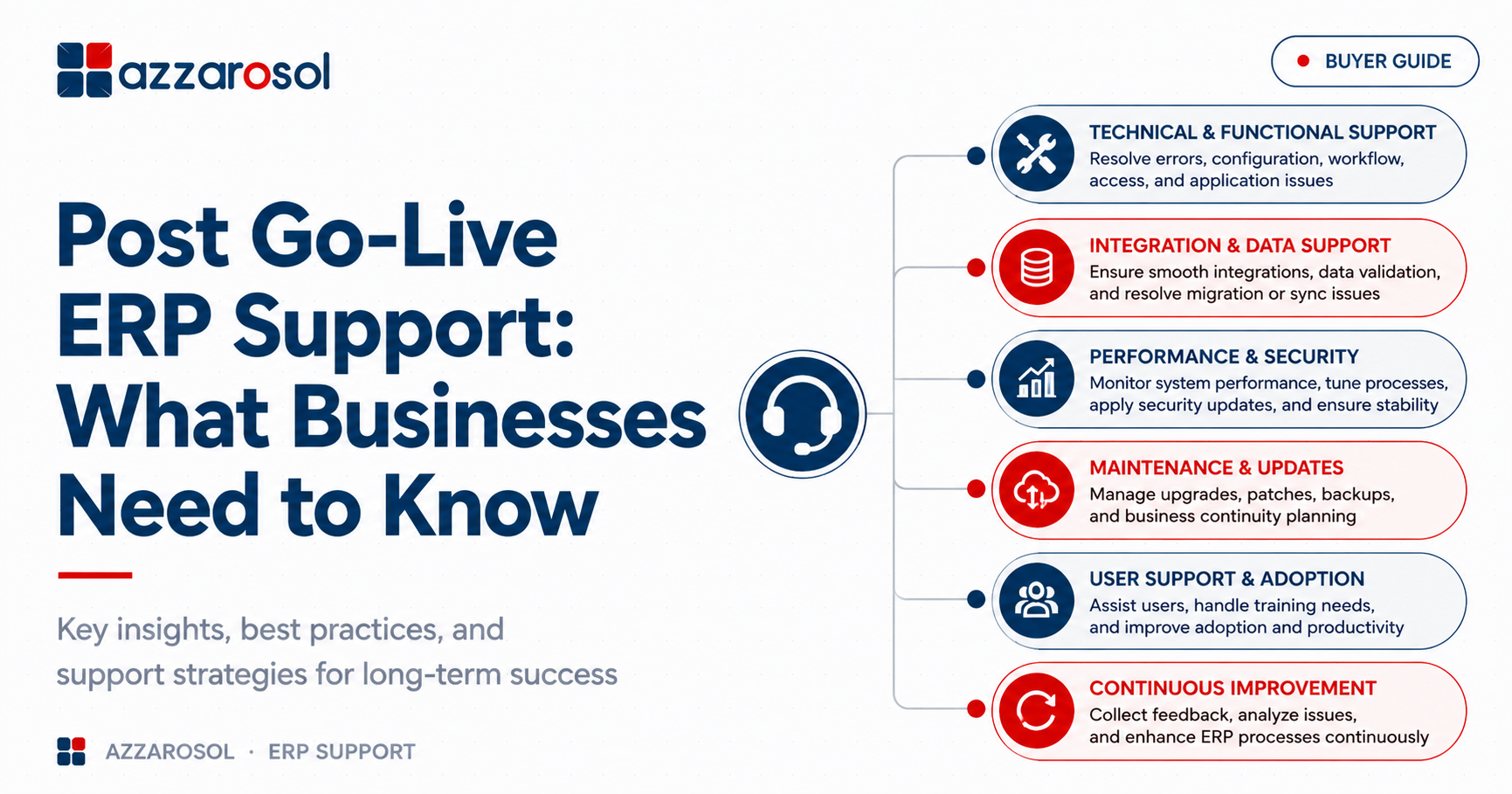
Post Go-Live ERP Support keeps your ERP stable after deployment by resolving system errors, integration issues, performance problems, and user concerns before they disrupt daily operations.
A business may face slow performance, incorrect reports, user errors, integration failures, or configuration issues after ERP deployment. A clear ERP support process helps resolve these problems before they affect daily operations, customers, and revenue.
What Is Post Go-Live ERP Support?
Post Go-Live ERP Support is the ongoing technical, functional, and user assistance provided after an ERP system goes live. It helps businesses resolve issues, maintain performance, support users, manage updates, and continuously improve the ERP system.
What Does Post-Go-Live ERP Support Include?
A strong Post Go-Live ERP Support plan should address more than fixing tickets. It should help the business maintain stable operations and improve the ERP over time.
1. Post Go-Live ERP Support for Technical and Functional Issues
ERP technical support handles application errors, access problems, system failures, and other technical concerns. Functional support focuses on business processes such as finance, purchasing, inventory, sales, or operations. For businesses in specialized sectors, support must also address unique workflows like those in manufacturing or wholesale distribution.
The ERP support team may handle:
- Bug fixing and issue resolution.
- ERP configuration problems.
- Workflow and approval issues.
- User access and permissions.
- ERP application maintenance.
- ERP troubleshooting support.
Separating technical and functional support helps route problems to the right specialists faster.
2. Post Go-Live ERP Support for Integration and Data
ERP integration problems can stop information from moving correctly between the ERP and other systems. Problems may involve CRM platforms, payment systems, e-commerce applications, warehouses, or reporting tools. For example, Dynamics 365 SCM needs robust integration to manage supply chain data seamlessly.
Support should include integration checks, data validation, error monitoring, and troubleshooting. Data migration issues may also need attention when historical records or master data contain errors.
3. Post Go-Live ERP Support for Performance and Security
ERP system performance can change as transaction volumes increase. ERP performance monitoring helps identify slow processes, database issues, integration delays, and other bottlenecks.
ERP maintenance and support should also consider:
- System monitoring.
- Performance tuning.
- Security updates.
- Backup and recovery.
- ERP upgrades and updates.
- Business continuity planning.
Common ERP Issues After Go-Live
What happens after ERP go-live depends on the quality of preparation, system complexity, integrations, and user adoption. Even a well-tested system can experience problems once normal business activity begins.
Common ERP issues after go-live include:
- Slow system performance: More users and transactions can expose performance limitations.
- User errors: Employees may struggle with new workflows or unfamiliar screens.
- Integration failures: Data may stop syncing between connected applications.
- Reporting problems: Incorrect configuration or data can produce unreliable reports.
- Access issues: Users may have incorrect roles or permissions.
- Workflow failures: Approvals and automated processes may not work as expected.
- Configuration gaps: Business requirements may change after implementation.
- Upgrade concerns: ERP updates can affect customizations and integrations. For finance teams, specific modules like Dynamics 365 Finance require careful handling during upgrades to avoid reporting disruptions.
Knowing how to handle ERP issues after go-live requires a defined escalation process, skilled support resources, and clear ownership.
Why Is Post-Go-Live ERP Support Important?
Post Go-Live ERP Support is important because operational problems can quickly become business problems. A minor ERP issue can delay orders, block invoices, affect inventory records, or slow customer service.
ERP stabilization support reduces this risk by focusing on the highest-impact issues first. During ERP stabilization after go-live, the support team should track incidents, identify recurring failures, collect user feedback, and perform root cause analysis.
A practical ERP support model should move through three stages:
- Stabilize: Resolve critical issues and protect business continuity.
- Optimize: Improve system performance, workflows, and configuration.
- Improve: Use business feedback to support ERP continuous improvement.
This approach is more effective than repeatedly fixing the same issue without identifying its underlying cause.
How Does ERP Post-Go-Live Support Work?
The ERP support process normally begins when users report an issue through a service desk or support channel. Each issue is logged, classified, prioritized, assigned, resolved, and reviewed.
A strong ERP incident management process should include:
- Ticket creation: Record the issue and affect the business process.
- Prioritization: Identify whether it is critical, high, medium, or low impact.
- Investigation: Check configuration, integrations, data, and system behavior.
- Resolution: Apply and test the appropriate fix.
- Root cause analysis: Identify why recurring issues happened.
- Documentation: Record the solution for future ERP troubleshooting.
- Review: Track trends and identify opportunities for improvement.
This creates accountability and prevents important issues from being lost in informal communication.
What Should an ERP Support SLA Include?
An ERP support SLA defines what a business can expect from its support provider. The ERP support agreement should clearly state response times, resolution targets, escalation rules, support hours, and responsibilities.
When reviewing an ERP support SLA after implementation, check whether it includes:
- Response time for critical incidents.
- Target resolution times.
- Support availability and channels.
- Escalation procedures.
- Priority definitions.
- Service reporting.
- Planned maintenance procedures.
- Responsibilities of the customer and support provider.
A clear service level agreement reduces confusion when a serious ERP issue occurs.
How to Choose an ERP Post-Go-Live Support Provider
Choosing an ERP support partner after implementation should not be based only on price. The provider must understand both the ERP platform and the business processes that depend on it.
When deciding how to choose an ERP post-go-live support provider, consider:
- ERP platform experience.
- Technical and functional expertise.
- Industry knowledge.
- Integration capabilities.
- Response and resolution commitments.
- Proactive system monitoring.
- Upgrade and customization experience.
- Security and backup practices.
- Scalability of ERP support services.
The right ERP support partner should help the business solve current problems while preparing the system for future requirements. For businesses leveraging cloud and AI, a partner skilled in Microsoft Copilot and Microsoft Fabric can provide additional value in data insights and automation.
Post Go-Live ERP Support Checklist
Before moving from implementation to regular support, businesses should confirm that they have:
- A documented ERP support model.
- Defined support ownership and escalation paths.
- A working service desk and ticket process.
- Critical issue priorities.
- An agreed ERP supports SLA.
- User support and training resources.
- ERP system monitoring.
- Backup and recovery procedures.
- A plan for ERP upgrades and updates.
- Regular performance and support reviews.
This ERP post go-live support checklist gives IT and business teams a practical starting point for a smoother ERP transition.
How Long Does Post Go-Live ERP Support Last?
There is no fixed period for how long post go-live ERP support lasts. Intensive ERP stabilization may be needed for several weeks or months, while ERP maintenance and support continues throughout the system lifecycle.
After stabilization, businesses can move toward Dynamics 365 managed services that cover monitoring, application maintenance, security, upgrades, optimization, and ongoing technical or functional support.
The goal is not simply to keep the ERP running. It is to keep the system useful as business processes, users, integrations, and requirements change.
Best Practices for Post Go-Live ERP Support
The best practices for post go-live ERP support are simple but require consistent execution:
- Prioritize business-critical incidents.
- Monitor system performance instead of waiting for complaints.
- Track recurring issues and their root causes.
- Keep users trained as processes change.
- Document important fixes and configuration changes.
- Review integrations regularly.
- Plan ERP upgrades before they become urgent.
- Use support data to identify optimization opportunities.
This turns support from reactive problem-solving into proactive system management.
Conclusion:
Post Go-Live ERP Support should be treated as an ongoing business function, not a short-term activity after ERP deployment. Effective support helps businesses stabilize operations, resolve technical and functional issues, improve user adoption, protect system performance, and prepare for future changes.
The most valuable approach is to combine responsive ERP troubleshooting with proactive monitoring, root cause analysis, maintenance, security, upgrades, and continuous improvement. A strong support partner should help prevent repeated problems instead of simply closing tickets.
If your business needs reliable ERP support after implementation, Azzarosol can help manage technical, functional, integration, maintenance, and optimization needs. For smaller or mid-sized businesses, robust support for Dynamics 365 Business Central ensures your system adapts to evolving requirements.
Contact Us now to discuss your ERP support requirements and build a support strategy that keeps your system performing as your business grows.