CategoriesERP

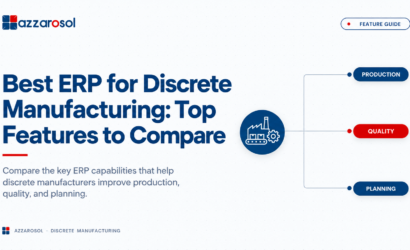
Best ERP for Discrete Manufacturing: Top Features to Compare

Best ERP for Discrete Manufacturing should handle complex BOMs, production planning, inventory, shop floor operations, quality, and costing. The right system connects these processes, reduces manual work, and gives manufacturers better control over production and costs.

A strong discrete manufacturing ERP should reduce spreadsheet work, provide reliable production data, and help teams act before material shortages or production delays become customer problems.

What Is a Discrete Manufacturing ERP?

The best ERP for discrete manufacturing is a system that combines BOM management, MRP, production scheduling, inventory management, shop floor control, quality, costing, and financial management in one platform. The right choice depends on your production model, business size, integration needs, and growth plans. For a deeper understanding, refer to this ERP for discrete manufacturing guide.

Best ERP for Discrete Manufacturing: Top 8 Features to Compare

The best ERP software for manufacturing should solve real production problems. When comparing manufacturing ERP solutions, focus on the following capabilities.

1. BOM and Product Management

For manufacturers with complex products, BOM control is a core requirement. A capable manufacturing ERP system should support multi-level BOMs, revisions, component quantities, and engineering changes.

Product lifecycle management keeps product information consistent from design through production. This is especially useful for ERP for manufacturing companies with complex BOMs.

Look for:

  • BOM revisions and approvals
  • Engineering change control
  • Product configurations
  • Component availability checks
  • Version history

Good BOM control reduces incorrect builds, rework, and production delays.

2. Production Planning and MRP

Production planning becomes difficult when orders change, materials arrive late, or machines are already booked. Manufacturing resource planning software should turn demand into practical material and production plans.

Material requirements planning (MRP) should consider stock, purchase orders, BOM requirements, lead times, and planned production. Capacity planning and machine scheduling help teams use labor and equipment more effectively.

A production management ERP should support:

  • Work order creation
  • Production scheduling
  • Capacity planning
  • Material availability checks
  • Machine scheduling
  • Production priorities

This makes ERP for discrete manufacturing production planning more useful than software that only records completed jobs. Integrating with Dynamics 365 SCM can further enhance these capabilities.

3. Inventory and Warehouse Management

Inventory problems can stop an entire production line. The best ERP for manufacturing inventory management should show what is available, committed, on order, and in production.

Strong inventory management should cover raw materials, work in progress, finished goods, and components. Warehouse management should connect stock movements with purchasing and production.

Key capabilities include:

  • Multi-location inventory
  • Real-time stock visibility
  • Reorder planning
  • Material reservations
  • Lot tracking and serial number tracking
  • Inventory movement history

Better visibility helps reduce excess stock while lowering the risk of production stoppages.

4. Shop Floor and Work Orders

An ERP software for discrete manufacturing operations should not stop at the office. It should provide production teams with useful information on the shop floor.

Shop floor management can track work orders, operations, labor, machine time, material usage, and work in progress. Supervisors can see where jobs are delayed instead of waiting for end-of-day updates.

For ERP for shop floor management and production control, check whether users can:

  • Start and complete operations
  • Record scrap and downtime
  • Track work-in-progress
  • Update job status
  • Capture labor and machine time

This creates a clear link between planned schedules and actual production.

5. Quality and Traceability

Quality management should be part of the manufacturing process, not a separate spreadsheet. The ERP should help teams record inspections, defects, corrective actions, and product history.

Traceability is important when manufacturers need to identify which materials went into a finished product. Lot tracking and serial number tracking can make recalls, warranty checks, and root-cause analysis faster.

Check for:

  • Incoming and in-process inspections
  • Quality holds
  • Defect records
  • Corrective actions
  • Lot and serial traceability

These capabilities can reduce the cost of quality problems and improve customer confidence.

6. Costing and Finance

Production teams need more than a planned cost. They need to understand what a job actually costs.

A manufacturing ERP system should connect material, labor, machine, overhead, purchasing, sales, and accounting data. This gives finance teams a better view of margins and helps managers identify expensive jobs or processes.

Evaluate support for:

  • Standard and actual costing
  • Job costing
  • Material and labor costs
  • Variance analysis
  • Financial reporting

This is why ERP software for manufacturers should connect operations with finance instead of keeping production data separate.

7. Procurement and Supply Chain

Late materials can create expensive production delays. Procurement management should help buyers know what to order, when to order it, and which supplier is responsible.

The best manufacturing ERP should connect demand planning, MRP, purchase orders, supplier information, and inventory. This is important for ERP for discrete manufacturing supply chain operations.

Check for:

  • Supplier management
  • Purchase planning
  • Purchase order automation
  • Supplier lead times
  • Demand and supply planning
  • Vendor performance tracking

8. Analytics and Integration

Manufacturing analytics should give managers a clear view of production, inventory, orders, costs, quality, and delivery performance.

The ERP should also connect with CRM, accounting, CAD, product lifecycle management, e-commerce, and other business tools where required.

Look for:

  • Real-time dashboards
  • Production KPIs
  • Exception alerts
  • APIs and integrations
  • Role-based reporting
  • Cloud access

This turns an ERP manufacturing system into a decision-making tool rather than another data-entry application.

How to Choose the Best ERP for Discrete Manufacturing

The selection process should start with your production model, not vendor demos. First, document your workflow and the problems the ERP must solve.

Use this process:

  1. List your production methods, including job shop, make-to-order, make-to-stock, or engineer-to-order manufacturing.
  2. Identify bottlenecks in planning, inventory, purchasing, quality, and production.
  3. Define your must-have ERP features.
  4. Test real production scenarios during demonstrations.
  5. Check integration, scalability, implementation, training, and support.
  6. Compare total costs, including licenses, implementation, customization, upgrades, and maintenance.

ERP for job shop manufacturing may need strong job costing and flexible scheduling. Engineer-to-order manufacturing may need deeper engineering and BOM control. Make-to-order manufacturing may depend on order configuration, while make-to-stock manufacturing may require stronger demand planning.

Common ERP Selection Mistakes

Choosing manufacturing management software based only on price can create higher costs later. A low license fee does not help if employees still depend on spreadsheets or the system cannot handle your production model.

Avoid these mistakes:

  • Choosing features you will never use
  • Ignoring shop floor requirements
  • Failing to test complex BOMs
  • Underestimating data migration
  • Overlooking integrations
  • Not checking implementation experience
  • Forgetting employee training

The best ERP system for discrete manufacturers should fit how your teams actually work. To avoid these pitfalls, consider Microsoft ERP consulting services for expert guidance.

Conclusion:

The Best ERP for Discrete Manufacturing should connect planning, materials, production, quality, inventory, procurement, and finance without creating more manual work. The most important capabilities include BOM management, MRP, production scheduling, shop floor management, traceability, costing, supply chain visibility, and manufacturing analytics.

My expert recommendation is simple: do not choose an ERP because a vendor claims to have every feature. Test the system against your hardest real-world scenarios. Use a complex BOM, delayed material, capacity constraint, quality issue, and sudden demand change during the evaluation. Azzarosol can help you assess ERP requirements and select an approach that fits your manufacturing operation.

If you are comparing the Best ERP for Discrete Manufacturing, Contact Us now to discuss your requirements and next steps.

CategoriesERP

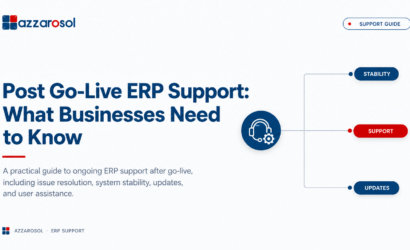
Post Go-Live ERP Support: What Businesses Need to Know

Post Go-Live ERP Support keeps your ERP stable after deployment by resolving system errors, integration issues, performance problems, and user concerns before they disrupt daily operations.

A business may face slow performance, incorrect reports, user errors, integration failures, or configuration issues after ERP deployment. A clear ERP support process helps resolve these problems before they affect daily operations, customers, and revenue.

What Is Post Go-Live ERP Support?

Post Go-Live ERP Support is the ongoing technical, functional, and user assistance provided after an ERP system goes live. It helps businesses resolve issues, maintain performance, support users, manage updates, and continuously improve the ERP system.

What Does Post-Go-Live ERP Support Include?

A strong Post Go-Live ERP Support plan should address more than fixing tickets. It should help the business maintain stable operations and improve the ERP over time.

1. Post Go-Live ERP Support for Technical and Functional Issues

ERP technical support handles application errors, access problems, system failures, and other technical concerns. Functional support focuses on business processes such as finance, purchasing, inventory, sales, or operations. For businesses in specialized sectors, support must also address unique workflows like those in manufacturing or wholesale distribution.

The ERP support team may handle:

  • Bug fixing and issue resolution.
  • ERP configuration problems.
  • Workflow and approval issues.
  • User access and permissions.
  • ERP application maintenance.
  • ERP troubleshooting support.

Separating technical and functional support helps route problems to the right specialists faster.

2. Post Go-Live ERP Support for Integration and Data

ERP integration problems can stop information from moving correctly between the ERP and other systems. Problems may involve CRM platforms, payment systems, e-commerce applications, warehouses, or reporting tools. For example, Dynamics 365 SCM needs robust integration to manage supply chain data seamlessly.

Support should include integration checks, data validation, error monitoring, and troubleshooting. Data migration issues may also need attention when historical records or master data contain errors.

3. Post Go-Live ERP Support for Performance and Security

ERP system performance can change as transaction volumes increase. ERP performance monitoring helps identify slow processes, database issues, integration delays, and other bottlenecks.

ERP maintenance and support should also consider:

  • System monitoring.
  • Performance tuning.
  • Security updates.
  • Backup and recovery.
  • ERP upgrades and updates.
  • Business continuity planning.

Common ERP Issues After Go-Live

What happens after ERP go-live depends on the quality of preparation, system complexity, integrations, and user adoption. Even a well-tested system can experience problems once normal business activity begins.

Common ERP issues after go-live include:

  1. Slow system performance: More users and transactions can expose performance limitations.
  2. User errors: Employees may struggle with new workflows or unfamiliar screens.
  3. Integration failures: Data may stop syncing between connected applications.
  4. Reporting problems: Incorrect configuration or data can produce unreliable reports.
  5. Access issues: Users may have incorrect roles or permissions.
  6. Workflow failures: Approvals and automated processes may not work as expected.
  7. Configuration gaps: Business requirements may change after implementation.
  8. Upgrade concerns: ERP updates can affect customizations and integrations. For finance teams, specific modules like Dynamics 365 Finance require careful handling during upgrades to avoid reporting disruptions.

Knowing how to handle ERP issues after go-live requires a defined escalation process, skilled support resources, and clear ownership.

Why Is Post-Go-Live ERP Support Important?

Post Go-Live ERP Support is important because operational problems can quickly become business problems. A minor ERP issue can delay orders, block invoices, affect inventory records, or slow customer service.

ERP stabilization support reduces this risk by focusing on the highest-impact issues first. During ERP stabilization after go-live, the support team should track incidents, identify recurring failures, collect user feedback, and perform root cause analysis.

A practical ERP support model should move through three stages:

  • Stabilize: Resolve critical issues and protect business continuity.
  • Optimize: Improve system performance, workflows, and configuration.
  • Improve: Use business feedback to support ERP continuous improvement.

This approach is more effective than repeatedly fixing the same issue without identifying its underlying cause.

How Does ERP Post-Go-Live Support Work?

The ERP support process normally begins when users report an issue through a service desk or support channel. Each issue is logged, classified, prioritized, assigned, resolved, and reviewed.

A strong ERP incident management process should include:

  1. Ticket creation: Record the issue and affect the business process.
  2. Prioritization: Identify whether it is critical, high, medium, or low impact.
  3. Investigation: Check configuration, integrations, data, and system behavior.
  4. Resolution: Apply and test the appropriate fix.
  5. Root cause analysis: Identify why recurring issues happened.
  6. Documentation: Record the solution for future ERP troubleshooting.
  7. Review: Track trends and identify opportunities for improvement.

This creates accountability and prevents important issues from being lost in informal communication.

What Should an ERP Support SLA Include?

An ERP support SLA defines what a business can expect from its support provider. The ERP support agreement should clearly state response times, resolution targets, escalation rules, support hours, and responsibilities.

When reviewing an ERP support SLA after implementation, check whether it includes:

  • Response time for critical incidents.
  • Target resolution times.
  • Support availability and channels.
  • Escalation procedures.
  • Priority definitions.
  • Service reporting.
  • Planned maintenance procedures.
  • Responsibilities of the customer and support provider.

A clear service level agreement reduces confusion when a serious ERP issue occurs.

How to Choose an ERP Post-Go-Live Support Provider

Choosing an ERP support partner after implementation should not be based only on price. The provider must understand both the ERP platform and the business processes that depend on it.

When deciding how to choose an ERP post-go-live support provider, consider:

  • ERP platform experience.
  • Technical and functional expertise.
  • Industry knowledge.
  • Integration capabilities.
  • Response and resolution commitments.
  • Proactive system monitoring.
  • Upgrade and customization experience.
  • Security and backup practices.
  • Scalability of ERP support services.

The right ERP support partner should help the business solve current problems while preparing the system for future requirements. For businesses leveraging cloud and AI, a partner skilled in Microsoft Copilot and Microsoft Fabric can provide additional value in data insights and automation. 

Post Go-Live ERP Support Checklist

Before moving from implementation to regular support, businesses should confirm that they have:

  • A documented ERP support model.
  • Defined support ownership and escalation paths.
  • A working service desk and ticket process.
  • Critical issue priorities.
  • An agreed ERP supports SLA.
  • User support and training resources.
  • ERP system monitoring.
  • Backup and recovery procedures.
  • A plan for ERP upgrades and updates.
  • Regular performance and support reviews.

This ERP post go-live support checklist gives IT and business teams a practical starting point for a smoother ERP transition.

How Long Does Post Go-Live ERP Support Last?

There is no fixed period for how long post go-live ERP support lasts. Intensive ERP stabilization may be needed for several weeks or months, while ERP maintenance and support continues throughout the system lifecycle.

After stabilization, businesses can move toward Dynamics 365 managed services that cover monitoring, application maintenance, security, upgrades, optimization, and ongoing technical or functional support.

The goal is not simply to keep the ERP running. It is to keep the system useful as business processes, users, integrations, and requirements change.

Best Practices for Post Go-Live ERP Support

The best practices for post go-live ERP support are simple but require consistent execution:

  • Prioritize business-critical incidents.
  • Monitor system performance instead of waiting for complaints.
  • Track recurring issues and their root causes.
  • Keep users trained as processes change.
  • Document important fixes and configuration changes.
  • Review integrations regularly.
  • Plan ERP upgrades before they become urgent.
  • Use support data to identify optimization opportunities.

This turns support from reactive problem-solving into proactive system management.

Conclusion:

Post Go-Live ERP Support should be treated as an ongoing business function, not a short-term activity after ERP deployment. Effective support helps businesses stabilize operations, resolve technical and functional issues, improve user adoption, protect system performance, and prepare for future changes.

The most valuable approach is to combine responsive ERP troubleshooting with proactive monitoring, root cause analysis, maintenance, security, upgrades, and continuous improvement. A strong support partner should help prevent repeated problems instead of simply closing tickets.

If your business needs reliable ERP support after implementation, Azzarosol can help manage technical, functional, integration, maintenance, and optimization needs. For smaller or mid-sized businesses, robust support for Dynamics 365 Business Central ensures your system adapts to evolving requirements. 

Contact Us now to discuss your ERP support requirements and build a support strategy that keeps your system performing as your business grows.